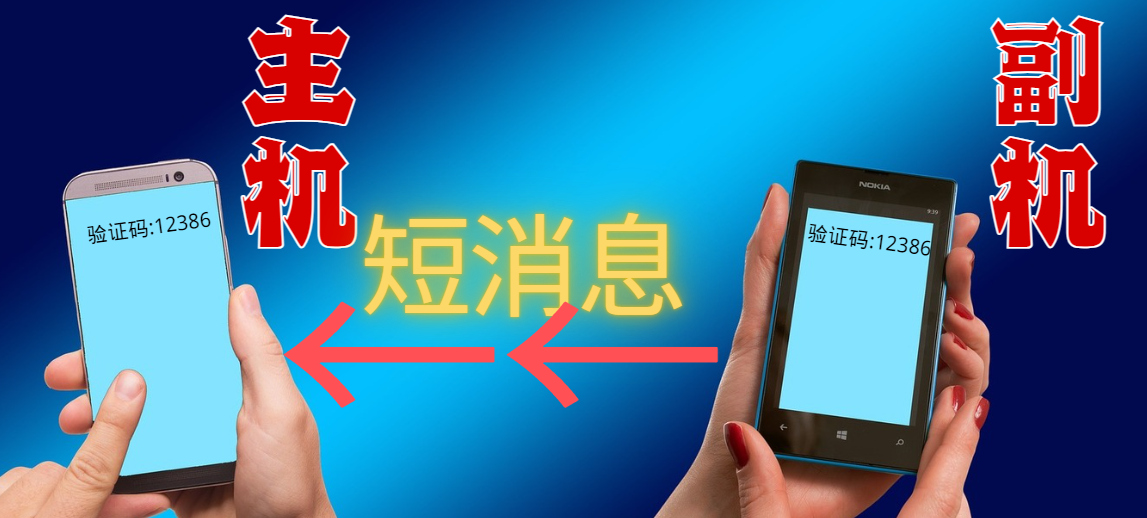
Android短信转发

Android短信转发
William C.Android短信转发
背景
短信转发是一种常见的功能,它允许用户将接收到的短信消息转发到其他设备或联系人。这对于那些需要在多个设备之间同步短信的用户来说非常有用。
例如,当你使用多个手机或平板电脑时,你可能希望在所有设备上都能收到和发送短信。通过使用短信转发,你可以将接收到的短信自动转发到其他设备,从而实现消息同步和便捷的通信体验。
实现思路
监听短信
获取短信权限:在你的Android应用中获取短信权限。你可以在
AndroidManifest.xml文件中添加以下代码来请求权限:1
2<uses-permission android:name="android.permission.RECEIVE_SMS" />
<uses-permission android:name="android.permission.SEND_SMS" />这里注意完成后记得在逻辑代码中动态申请权限
1
2
3
4
5
6
7
8
9
10
11
12
13
14
15
16
17
18
19
20// 检查并请求权限
if (ContextCompat.checkSelfPermission(this, Manifest.permission.RECEIVE_SMS) != PackageManager.PERMISSION_GRANTED ||
ContextCompat.checkSelfPermission(this, Manifest.permission.SEND_SMS) != PackageManager.PERMISSION_GRANTED) {
ActivityCompat.requestPermissions(this, new String[]{
Manifest.permission.RECEIVE_SMS,
Manifest.permission.SEND_SMS
}, SMS_PERMISSION_CODE);
}
public void onRequestPermissionsResult(int requestCode, String[] permissions, int[] grantResults) {
super.onRequestPermissionsResult(requestCode, permissions, grantResults);
if (requestCode == SMS_PERMISSION_CODE) {
if (grantResults.length > 0 && grantResults[0] == PackageManager.PERMISSION_GRANTED) {
// 权限被授予
} else {
// 权限被拒绝
}
}
}创建一个BroadcastReceiver来接收短信:创建一个
BroadcastReceiver来接收短信:创建一个类继承BroadcastReceiver,并在onReceive方法中处理接收到的短信。1
2
3
4
5
6public class SmsReceiver extends BroadcastReceiver {
public void onReceive(Context context, Intent intent) {
// 在这里处理接收到的短信
}
}在Manifest文件中注册BroadcastReceiver:在
AndroidManifest.xml文件中注册你的SmsReceiver。1
2
3
4
5<receiver android:name=".SmsReceiver">
<intent-filter>
<action android:name="android.provider.Telephony.SMS_RECEIVED" />
</intent-filter>
</receiver>解析接收到的短信:解析接收到的短信:在
SmsReceiver的onReceive方法中解析接收到的短信内容。1
2
3
4
5
6
7
8
9
10
11
12
13
14
15public class SmsReceiver extends BroadcastReceiver {
public void onReceive(Context context, Intent intent) {
Bundle bundle = intent.getExtras();
if (bundle != null) {
Object[] pdus = (Object[]) bundle.get("pdus");
for (Object pdu : pdus) {
SmsMessage smsMessage = SmsMessage.createFromPdu((byte[]) pdu);
String sender = smsMessage.getDisplayOriginatingAddress();
String messageBody = smsMessage.getMessageBody();
// 处理短信内容
}
}
}
}转发短信:在解析短信后,将短信转发。
1
2
3
4
5
6
7
8
9
10
11
12
13
14
15
16
17public class SmsReceiver extends BroadcastReceiver {
public void onReceive(Context context, Intent intent) {
Bundle bundle = intent.getExtras();
if (bundle != null) {
Object[] pdus = (Object[]) bundle.get("pdus");
for (Object pdu : pdus) {
SmsMessage smsMessage = SmsMessage.createFromPdu((byte[]) pdu);
String sender = smsMessage.getDisplayOriginatingAddress();
String messageBody = smsMessage.getMessageBody();
// 转发短信
sendToOtherDevice(sender, message);
}
}
}
}
通过以上步骤,你可以在Android应用中实现短信转发功能。
获取短信
其实监听短信的实现还是很容易实现的,难点还是怎么将短信推送给共享的设备
在这提供几个思路
通过邮件获取短信内容
缺点:对于紧急或高频的短信,可能不够实时。
准备邮件发送工具
在 Android 中,你可以使用 JavaMail API 或其他第三方库来实现发送电子邮件的功能。使用 JavaMail 是一种常见的选择。添加 JavaMail 依赖
在你的 build.gradle 中添加 JavaMail 依赖:
1 | dependencies { |
- 编写发送邮件的代码
创建一个 MailSender 类,用于处理邮件发送逻辑。以下是一个示例代码,演示如何通过 SMTP 发送电子邮件。
1 | import java.util.Properties; |
- 发送短信转发邮件
在你的 BroadcastReceiver 中监听到短信之后,将短信内容作为邮件的正文发送出去。
以下是一个示例,展示如何在 SmsReceiver 中使用 MailSender 将短信内容发送到指定邮箱。
1 | private void sendEmail(Context context, String sender, String messageBody) { |
通过Telegram获取短信内容
使用 Telegram Bot 来自动将短信内容推送到你的 Telegram 个人账号或群组,是一个高效且免费的解决方案。以下是具体的实现步骤。
- 创建 Telegram Bot
你首先需要通过 Telegram 的 @BotFather 创建一个新的 Telegram Bot,并获取该 Bot 的 API Token。
步骤:
在 Telegram 中搜索 @BotFather,然后开始对话。
发送 /start,然后发送 /newbot 创建一个新机器人。
按照提示为机器人命名,并为其设置一个唯一的用户名(必须以 bot 结尾)。
创建完成后,@BotFather 会提供一个 API Token,类似于 123456789:ABCDEF1234567890abcdef1234567890abcdef。保存这个 Token,在后续步骤中使用。
- 获取你的 Chat ID
要让 Telegram Bot 将信息推送到你的 Telegram 个人账号,你需要知道你的 Chat ID。
步骤:
- 在 Telegram 上向刚创建的 Bot 发送一条消息(任意内容都可以)。
- 在浏览器中,访问如下 URL,将 {bot_token} 替换为你在第 1 步中获取的 API Token:
1 | https://api.telegram.org/bot{bot_token}/getUpdates |
例如:
1 | https://api.telegram.org/bot123456789:ABCDEF1234567890abcdef1234567890abcdef/getUpdates |
- 你会得到一个包含你与 Bot 对话的 JSON 响应,找到 chat 对象中的 id,这个就是你的 Chat ID。
- 发送短信到 Telegram
在你的 Android 应用中,监听到短信后,通过 Telegram API 调用 sendMessage 接口将短信内容发送到你的 Telegram 账号。
API Endpoint:
1 | https://api.telegram.org/bot{bot_token}/sendMessage |
示例请求(使用 Python 来演示如何调用 Telegram API 发送消息):
1 | import requests |
- 在 Android 应用中实现转发
将监听到的短信通过 Telegram API 发送到你的 Telegram 账号。下面是在 Android 应用中将短信内容转发到 Telegram 的示例代码:
1 | import android.os.Handler; |
在你的 BroadcastReceiver 中接收到短信后,调用 SmsToTelegram.sendToTelegram() 方法将短信内容转发到你的 Telegram。
- 发送到群组(可选)
如果你想把短信内容推送到 Telegram 群组,可以将消息发送到群组的 Chat ID。你可以:
创建一个群组并将 Bot 添加进去。
通过上面相同的方式获取群组的 Chat ID,它通常是负数,例如 -123456789。
然后将 chat_id 设置为群组的 Chat ID 即可。
总结
通过 Telegram Bot 和 Telegram API,你可以轻松将短信内容推送到自己的 Telegram 账号或群组。这种方式不仅免费,还可以实时推送并具有高度的自定义性,适合自动化处理短信的场景。
微信公众号
微信公众号提供的对话服务>发送消息>模板消息可以发送指定的消息内容给指定的用户,但是需要企业认证的公众号才行,我这边没做尝试,感兴趣可以参考:
第三方短信服务
也可以使用第三方短信平台将信息直接以短消息转发给你的主机号码,缺点就是免费的不好用,收费的价格高,个人用完全不划算
Demo
我自己用的是telegram机器人实现的,如果不想自己去开发可以直接加入我的电报群组 Telegram 获取消息转发,缺点是会暴露你的验证码给所有人,要注意不要让人知道你是谁
在此之前需要在备用机上安装我开发的应用 GitHub地址
- 下载方式
打开项目,点击右边的releases,听说先点个右上角的Star成功率会更高😁。
进入新的页面可以看到各个历史版本,选择最上面的(也就是最新的)版本的apk文件 单击下载。